
You check your Google Business Profile rankings from your office. Looking good, you're in the top three for "plumber near me." Victory dance engaged.
But here's the thing: your potential customers aren't searching from your office. They're searching from their homes, their workplaces, and that gas station bathroom where the sink just exploded. And guess what? Your rankings look completely different from each of those locations.
Welcome to the harsh reality of local SEO. Your ranking isn't one number, it's dozens, maybe hundreds, depending on where someone's standing when they search.
The Single-Point Ranking Trap
Most business owners check their rankings the same way: they type their keyword into Google from one location and call it a day. It's like checking the weather by sticking your hand out the window and assuming it's the same temperature everywhere in town.
Traditional rank tracking tools aren't much better. They'll show you where you rank from a single point, usually your business address. Great, you're #1 at your own location. But what about three miles south? What about the neighborhood where most of your customers actually live?
This is where grid reports come in, and honestly, they're a game-changer for anyone serious about local visibility.

What Exactly Are Grid Reports?
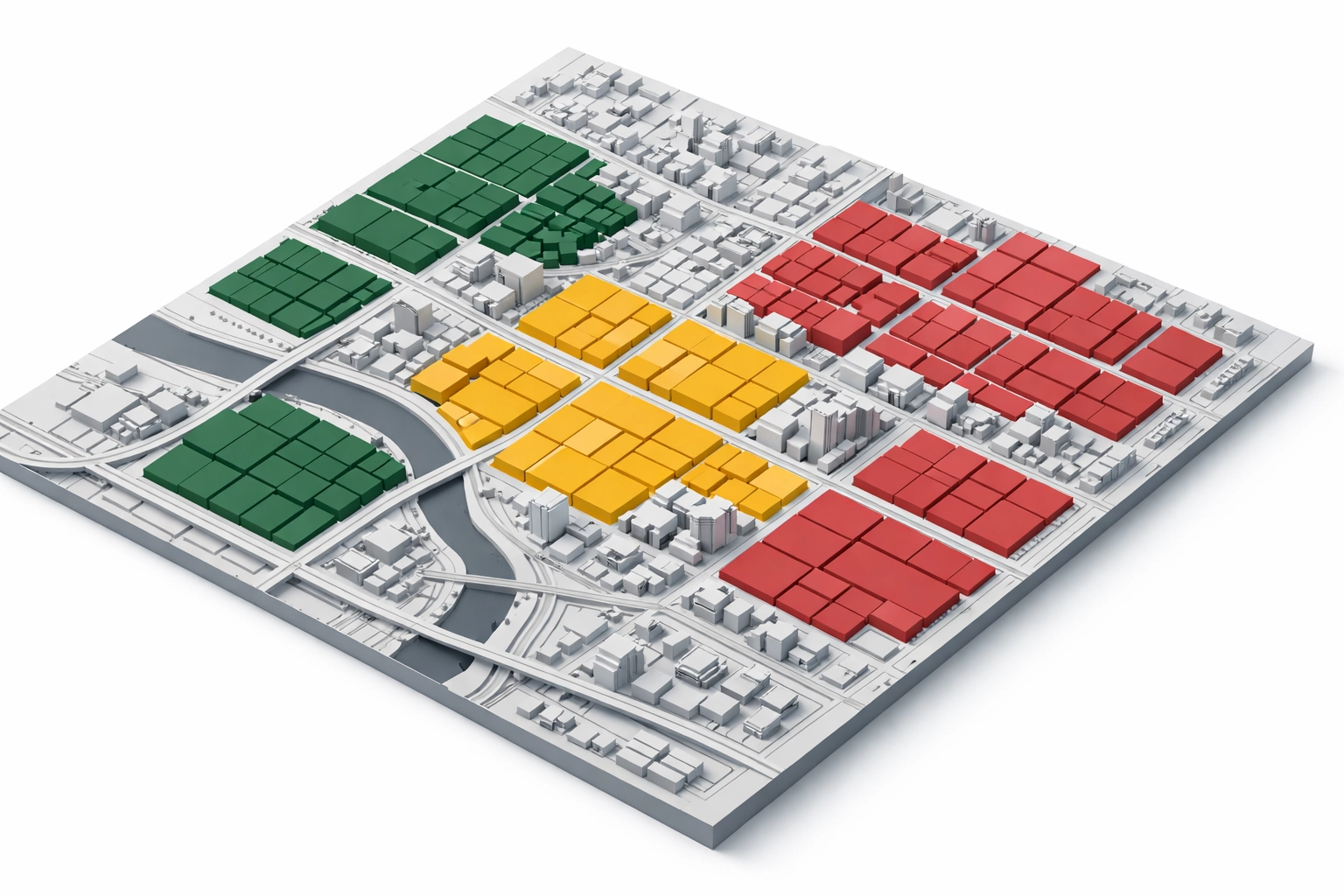
Grid reports are geolocation rank trackers that show your Google Maps rankings across multiple specific locations simultaneously. Instead of checking one spot, they check dozens or even hundreds of points across your service area and plot them on a color-coded map.
Think of it like this: instead of taking your temperature in one place, grid reports give you a thermal image of your entire body. You can see the hot spots where you're dominating and the cold zones where you're practically invisible.
The visual is usually color-coded, green for strong rankings, yellow for middling performance, and red for "yikes, you don't even show up here." It transforms a spreadsheet's worth of confusing data into something you can actually understand at a glance.
How Grid Reports Actually Work
The process is straightforward. You select your business location, pick your target keywords (like "emergency plumber" or "divorce attorney"), and choose the geographic area you want to track. This could be a 5×5 mile grid, 10×10, or whatever makes sense for your service area.
The tool then runs fresh Google searches from every point on that grid: we're talking real searches, not estimates or projections. It's checking what actual customers would see if they searched from each of those locations.
Finally, it plots the results onto a map. You get to see exactly where you rank at each location across your entire service area. No guessing. No assumptions. Just cold, hard, hyperlocal data.
Why This Matters More Than You Think
Here's a stat that should wake you up: most Google Business Profiles don't rank far from their physical location. Top performers average only about 2% Share of Local Voice across an 11×11-mile grid. Translation? Even the best businesses struggle to rank everywhere.
Ranking proximity is still very real in 2026. Google heavily weights physical distance in its local algorithm. If you're five miles away from a searcher and your competitor is two miles away, you're fighting an uphill battle: even if your GBP is otherwise perfect.
For service area businesses (SABs) like plumbers, electricians, or contractors who don't display their address publicly, grid reports are especially valuable. Since you don't have a visible pin on the map, understanding your ranking distribution across different neighborhoods becomes critical for planning your marketing strategy.
You might discover you rank great on the north side of town but barely exist on the south side. That's actionable intelligence you can't get from traditional tracking.
What Grid Reports Reveal
Grid reports expose gaps in your local coverage that would otherwise stay hidden. You'll see neighborhoods where you're crushing it and areas where you might as well not exist.
This visibility helps you understand your competitive position. Maybe you're losing to the same competitor in three specific neighborhoods. That's not random: that competitor probably has something going on in those areas. Maybe they have more reviews from customers in that zip code. Maybe they're running targeted ads. Maybe they just have better proximity.
You can also track changes over time. Run grid reports monthly and compare them side-by-side. Are your green zones expanding? Are you losing ground in areas where you used to rank well? This longitudinal data helps you measure whether your SEO efforts are actually working.

Turning Insights Into Action
Pretty maps are nice, but useless without action. Here's how to actually use grid report data to improve your rankings.
Start by identifying your weak zones: those red and yellow areas where you barely show up. Look at who is ranking there instead of you. Check out their Google Business Profiles. How many reviews do they have from that neighborhood? What's their content strategy? How are they different from you?
Next, create neighborhood-specific content. If you're weak in the Riverside district, write blog posts about "Plumbing Issues Common in Riverside Homes" or "Why Riverside Homeowners Need Annual Furnace Inspections." Hyperlocal content signals to Google that you're relevant to that specific area.
Focus your review acquisition efforts strategically. If you're weak in certain neighborhoods, make extra effort to get reviews from customers in those areas. Reviews from nearby customers carry more weight for local rankings in that specific zone.
Consider creating location-specific landing pages for different neighborhoods in your service area. This is especially powerful for SABs who can't rely on physical proximity alone.
You can also use grid reports for competitive intelligence. Track your top competitors' grids alongside your own. Where are they strong? Where are they weak? Look for opportunities where they're vulnerable and you can gain ground.

Grid Reports for Client Reporting
If you're an agency or consultant, grid reports are presentation gold. They're visual, easy to understand, and show progress in a way that spreadsheets never could.
Instead of telling a client "you moved from position 4 to position 3 for this keyword," you can show them a map where their green zones expanded by 20% over the last quarter. That's compelling. That's visual proof of value.
Side-by-side comparisons over time make the improvement obvious even to clients who don't understand SEO. Green is good. Red is bad. More green than last month means you're doing your job. Simple.
The Bottom Line
Your local ranking isn't a single number. It's a complex, hyperlocal distribution that changes based on where someone's searching from. Grid reports reveal that distribution so you can stop guessing and start making data-driven decisions about your local SEO strategy.
If you're serious about local visibility, you need to see the whole map: not just the view from your office window. Grid reports give you that vision.
Ready to see where you really rank across your service area? Check out our local rank tracking tools and stop flying blind with your local SEO strategy.
Because knowing is half the battle. The other half is actually showing up where your customers are searching.